// Native macOS
Kubernetes at your
fingertips.
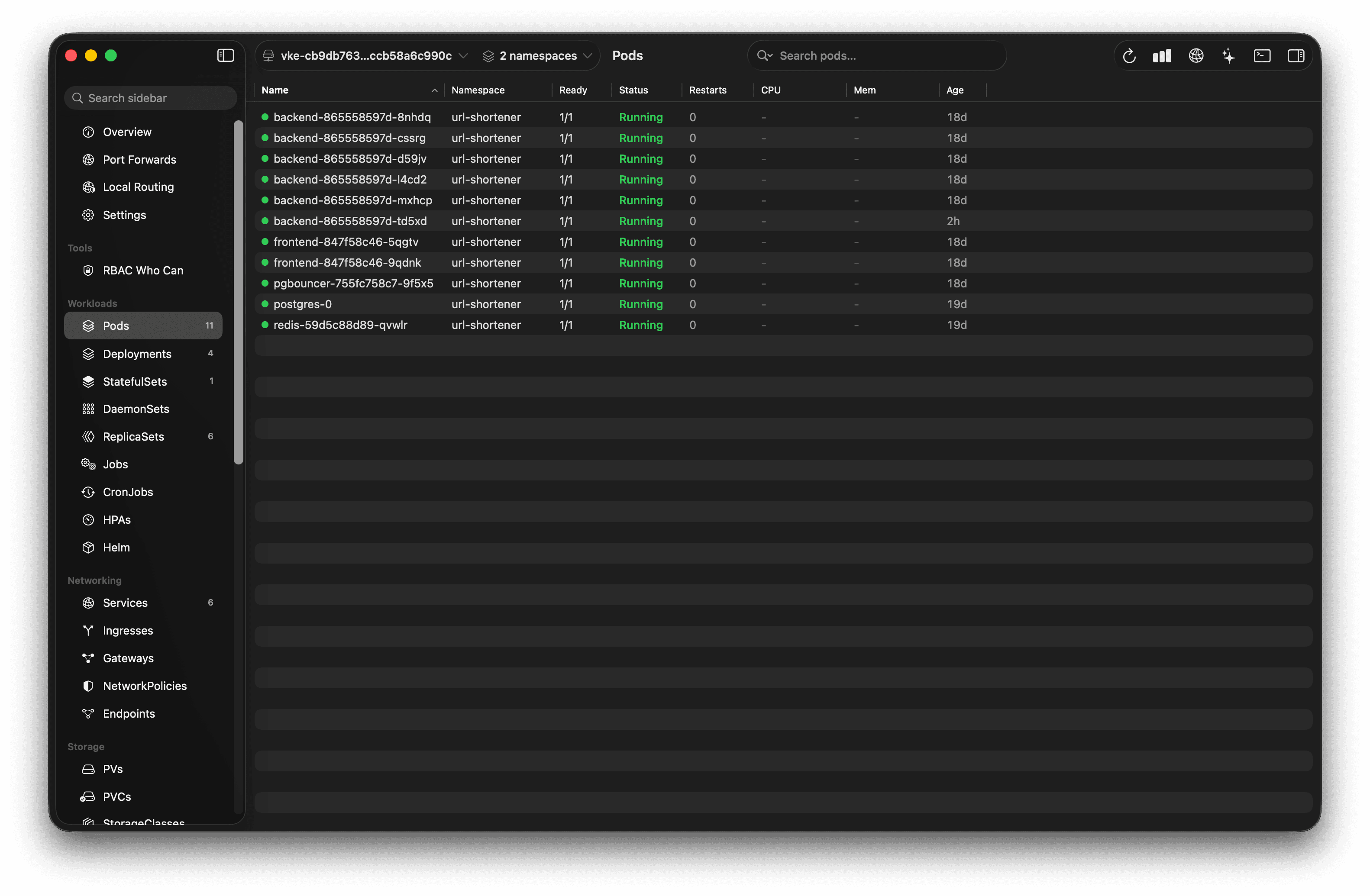
A native macOS app for managing your Kubernetes clusters. Browse every resource type, stream live logs, edit YAML, scale workloads — all against your existing kubeconfig. If kubectl works on your machine, Helmsman works.
Your cluster.
Your config.
Helmsman reads the same kubeconfig your terminal already uses. No sign-up, no cluster agent to deploy, no data leaving your machine. Open the app and start working.
Reads your existing kubeconfig
Honors KUBECONFIG env var and multi-context merge rules. Every context you have in kubectl is available in Helmsman.
No cluster agents required
All core operations talk directly to the Kubernetes API server. Nothing runs inside your cluster.
No cloud account
Install, open, and manage clusters without signing up for anything.
Native performance
Go backend + SwiftUI frontend. No Electron, no browser runtime. The app stays out of your way.
CURRENT NAME CLUSTER
# click a context — Helmsman switches instantly.
$ open helmsman
Everything you need.
Nothing you don't.
01 / BROWSE
Every resource. Every CRD.
The backend uses Kubernetes server-side Table format and a dynamic RESTMapper — any built-in resource or custom CRD shows up automatically, including kubectl-identical columns. No per-resource code needed.
pods • deployments.apps • virtualservices.networking.istio.io02 / LOGS
Live log streaming.
Pod logs stream over Server-Sent Events directly to the UI. Filter by container, toggle follow mode, and keep a 5,000-line scrollback buffer. Works exactly like kubectl logs -f.
GET /api/v1/contexts/{ctx}/namespaces/{ns}/pods/{name}/log03 / YAML
Edit and apply YAML.
Fetch any resource as YAML, edit it in the built-in editor, and apply with server-side apply in one keystroke. The backend strips managed fields so you can round-trip fetched objects directly.
POST /api/v1/contexts/{ctx}/resources (server-side apply)04 / ACTIONS
Full workload control.
Scale, restart, rollout history with one-click undo to any revision, pause/resume rollouts, suspend/resume CronJobs and Jobs, cancel running jobs, and drain nodes — all from the context menu.
scale • restart • rollout undo • suspend • cancel • drain05 / INSPECT
Kind-aware overviews.
Every resource gets a rich overview panel tailored to its kind — pods show containers, restarts, and node placement; services show ports and selectors; deployments show replica health. Plus a full JSON tree and raw YAML tab.
Overview → Object → YAML06 / SHELL
Interactive pod terminal.
Right-click any running pod and open a full interactive shell — bash with sh fallback. Switch between containers without leaving the window. Powered by kubectl exec, no cluster agent required.
kubectl exec -it → bash || shGet Helmsman.
01 / Direct
Download the .dmg
Download the disk image, open it, and drag Helmsman to Applications.
macOS 14+ Sonoma · Free · MIT · kubectl required for shell02 / Homebrew
Install with Homebrew
Tap the cask, then install. Updates with brew upgrade.
requires homebrew · brew.sh · kubectl required for shellStart managing your cluster.
Download the app or install via Homebrew. No sign-up, no cloud account, no cluster agent — just your kubeconfig.